

Licensing photography for websites is the legal process of acquiring permission to use images under defined conditions. Without a valid license, using someone else's photograph on your website constitutes copyright infringement, regardless of where you found it. Copyright penalties range from $750 to $150,000 per image under U.S. law, a risk no business owner should take lightly. Platforms like Adobe Stock, Getty Images, and Unsplash each offer distinct licensing frameworks, and understanding the differences is the foundation of every smart image decision you make for your site.
How to licence photography for websites: the core framework
Photography licensing grants you the right to use an image. It does not transfer ownership of that image to you. The photographer retains copyright, and the license defines exactly what you can and cannot do with the photo. This distinction matters because many business owners assume that paying for an image means they own it outright.
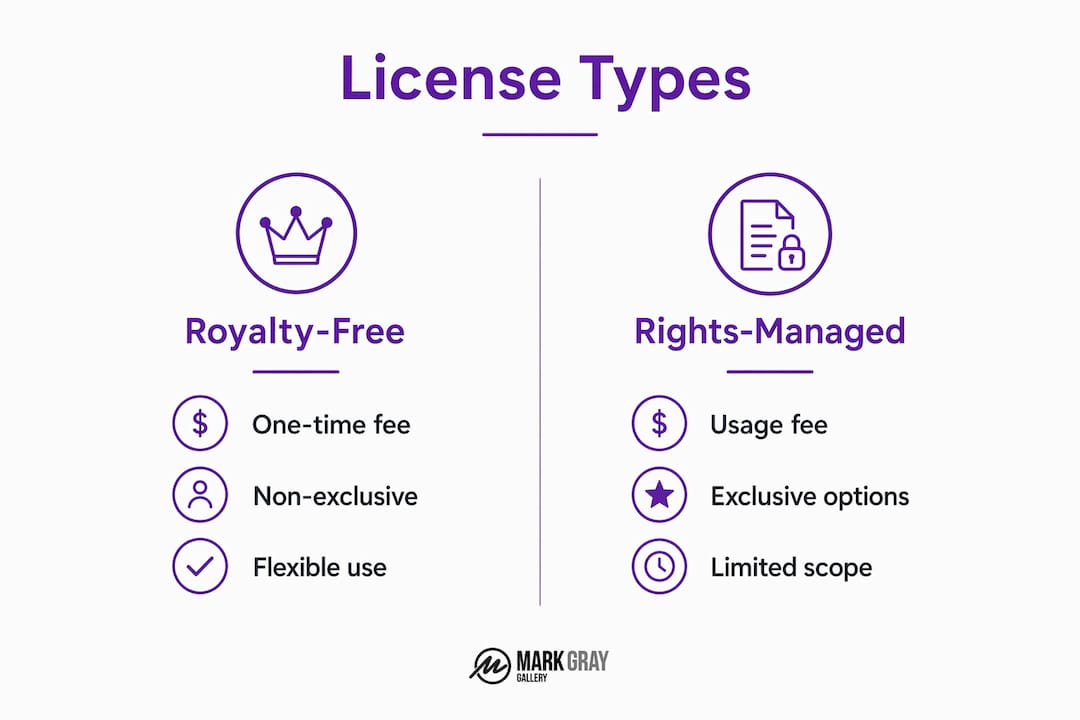
Royalty-Free and Rights-Managed are the two dominant license structures you will encounter when licensing images online. Royalty-Free (RF) means you pay a one-time fee and can reuse the image multiple times across approved channels. It does not mean the image is free. Rights-Managed (RM) licenses price usage based on specific parameters: the medium, duration, territory, and audience size. A RM license for a homepage hero image used globally costs more than one for a regional blog post.

Extended licenses sit above standard RF agreements and grant additional rights. These typically cover large print runs, product resale, or use in broadcast media. Editorial licenses restrict use to non-commercial contexts such as news articles, educational content, or commentary. Using an editorial-only image in a paid advertisement is a direct infringement, even if you paid for the license.
Here is a comparison of the most common license types relevant to website use:
| License type | Cost structure | Exclusivity | Best for |
|---|---|---|---|
| Royalty-Free (RF) | One-time fee | Non-exclusive | Blog posts, general web pages |
| Rights-Managed (RM) | Usage-based pricing | Can be exclusive | Campaigns, hero images |
| Extended RF | Higher one-time fee | Non-exclusive | Products, large print runs |
| Editorial | Low to moderate | Non-exclusive | News, education, commentary |
| Creative Commons | Free (conditions apply) | Non-exclusive | Non-commercial, attributed use |
The key photography copyright tip here: always read the license terms before purchase, not after. Platforms like Shutterstock and iStock present license summaries at checkout, but the full terms document governs what is actually permitted.
What license scope does your website actually need?
Determining the right scope before you buy photography rights is where most businesses go wrong. License scope creep occurs when an image licensed for a website is later used in a paid social ad, a printed brochure, or an email campaign without upgrading the license. Each of those channels requires separate rights under most standard agreements.
Before purchasing any image, map out every channel where it might appear:
- Website pages: homepage, landing pages, blog posts, product pages
- Social media: organic posts, paid ads, Stories, profile images
- Email campaigns: newsletters, promotional sequences, transactional emails
- Print collateral: brochures, signage, trade show materials, packaging
Territory is another factor that catches businesses off guard. Many RF licenses cover worldwide digital use, but some restrict distribution to specific regions. If your website serves a global audience, confirm that the license explicitly covers international use before committing.
License term and duration matter for RM agreements in particular. A one-year license for a campaign image expires, and continuing to display that image after expiry is infringement. Set calendar reminders for every RM license renewal date you hold.
Exclusivity is worth considering for brand-defining images. A non-exclusive license means the same photo can appear on a competitor's website simultaneously. For homepage hero images or brand identity visuals, an exclusive license prevents that overlap and strengthens your visual differentiation.
Pro Tip: Before purchasing any image, conduct a pre-flight review. List every channel, territory, and time frame where the image will appear. Compare that list against the license terms line by line. This five-minute check prevents expensive mistakes.
A well-crafted commercial photo license includes clear terms covering the parties involved, the specific asset, rights granted, restrictions, term, territory, exclusivity, fees, credits required, and any releases needed. If a license agreement you are reviewing omits several of these elements, request clarification from the photographer or platform before proceeding.
How to manage and document your photo licenses effectively
Compliance is only as strong as your documentation. The burden of proof in a copyright dispute rests entirely on the user. Without a valid license receipt or agreement on file, statutory damages of up to $150,000 per image apply regardless of intent.
Follow these steps to build a license management system that protects your business:
- Create a centralized license register. Store every license agreement, purchase receipt, and download confirmation in a single shared folder. Google Drive or SharePoint work well for teams. Name files by image ID and purchase date for fast retrieval.
- Record key license details for each image. Log the image name, source platform, license type, permitted channels, territory, expiry date (if applicable), and the URL where the image is currently used.
- Audit your website periodically. Tools like TinEye and PicDefense can scan your site, including embedded and hidden assets, to verify that every image has a corresponding license on file.
- Track renewal dates. Set automated reminders 60 days before any RM or time-limited license expires. This gives you time to renew, replace, or remove the image before infringement occurs.
- Upgrade licenses when usage expands. If a blog image moves to a paid ad campaign, purchase the appropriate extended or commercial license before the new use goes live.
Pro Tip: Images depicting people, private property, trademarks, or recognizable artwork may require model releases, property releases, or trademark clearances in addition to the photographer's license. Confirm release status with the platform before using these images commercially.
Scope creep is the most common legal pitfall in day-to-day image management. A photo approved for a blog post gets repurposed into a Facebook ad without anyone checking the license. Building a simple approval workflow, where any new use of an existing image triggers a license check, eliminates this risk at the team level.
How does licensed photography improve your website's visual brand and SEO?
Licensing images online is a compliance requirement, but it is also a brand opportunity. The way you select, customize, and place photography directly affects how visitors perceive your business and how search engines rank your pages.
Customizing stock photos through color grading, cropping, and overlays reduces the generic stock look that erodes brand trust. A landscape image with your brand color palette applied as an overlay reads as proprietary content, not a catalog asset. This approach works particularly well for service businesses that rely on stock photography but want visual consistency across their site.
The optimal 2026 web image workflow involves compressing images to WebP format, writing descriptive ALT text under 125 characters, and placing supporting visuals every 800 to 1,000 words. This combination improves page load speed, accessibility, and search visibility simultaneously. ALT text that describes the image content specifically, rather than stuffing keywords, performs better in both screen reader accessibility and Google Image Search rankings.
Here is a quick reference for image optimization on your website:
| Element | Best practice | Why it matters |
|---|---|---|
| File format | WebP preferred over JPEG or PNG | Smaller file size, faster load times |
| ALT text length | Under 125 characters | Screen reader compatibility, SEO signal |
| Visual frequency | Every 800 to 1,000 words | Engagement and content structure |
| Customization | Color grade, crop, overlay | Brand differentiation from generic stock |
| File naming | Descriptive keywords, no spaces | Crawlability and image search indexing |
Stock photos work best when they complement original brand photography rather than replace it entirely. Use licensed stock images for supporting content, blog posts, and category pages. Reserve original photography for your homepage, about page, and any page where brand authenticity drives conversion. This balance gives you the efficiency of stock photography without sacrificing the credibility that original images provide.
Pro Tip: For key brand pages, consider licensing exclusive or limited-distribution images from professional photographers rather than pulling from high-volume stock libraries. The visual distinction is immediately apparent to visitors, and the exclusivity protects your brand identity.
Key takeaways
Proper photography licensing for websites requires matching license scope to every intended channel, documenting all agreements, and optimizing images for both brand impact and SEO performance.
| Point | Details |
|---|---|
| License type selection | Match Royalty-Free, Rights-Managed, or Extended licenses to your specific usage channels and budget. |
| Scope pre-flight review | Map all channels, territories, and durations before purchasing to prevent costly scope creep. |
| Documentation is mandatory | Store every license receipt and agreement centrally; the burden of proof in disputes falls on the user. |
| Audit tools add protection | Use TinEye or PicDefense to verify that every image on your site has a valid license on file. |
| Optimize for brand and SEO | Compress to WebP, write ALT text under 125 characters, and customize stock images to strengthen brand identity. |
Why I take photography licensing more seriously than most
After years of working with landscape photography at a professional level, I have seen the same mistake repeated by businesses of every size. They find a beautiful image online, assume that downloading it is the same as licensing it, and move on. The invoice arrives months later, not from the platform, but from a copyright enforcement firm.
The uncomfortable truth about licensing photography for websites is that the risk is not theoretical. It is systematic. Automated image tracking tools now scan the web continuously, matching unlicensed image use to rights holders. The businesses that get caught are rarely the ones who acted maliciously. They are the ones who did not build a process.
What I have found actually works is treating image licensing the same way you treat any other business contract. You would not sign a supplier agreement without reading the terms. Apply the same discipline to every image you place on your website. The photography print investment mindset, understanding that quality imagery has real value, translates directly into how you approach licensing decisions.
The other lesson I would share is this: generic stock photography is a ceiling, not a floor. When you license distinctive, location-specific, or award-winning photography, your website communicates something that competitors using the same Shutterstock library simply cannot match. That visual differentiation is worth the additional investment in both licensing quality and documentation discipline.
— Mark
License award-winning landscape photography for your website
Mark Gray's portfolio offers something rare in the licensing world: exclusive, award-winning landscape photography from Australia, New Zealand, Norway, Iceland, French Polynesia, Spain, and the United Kingdom, available for commercial licensing with clear, specific terms. Whether you need a striking hero image for your homepage, supporting visuals for a campaign, or distinctive photography for signage and brochures, the Mark Gray Gallery provides licensing solutions tailored to your exact usage requirements. Every image comes with transparent licensing terms, so you know precisely what rights you hold and where you can use them. Contact the gallery directly to discuss your website's visual needs and find the right licensing arrangement for your brand.
FAQ
What does it mean to license a photo for a website?
Licensing a photo for a website means acquiring legal permission from the copyright holder to display that image under defined conditions. The license specifies permitted channels, territory, duration, and whether use is commercial or editorial.
What is the difference between royalty-free and rights-managed licenses?
Royalty-Free means a one-time payment grants repeated use across approved channels, while Rights-Managed pricing is calculated based on specific usage parameters including medium, territory, and duration. Neither type transfers copyright ownership to the buyer.
Can I use a photo I found on Google for my website?
No. Appearing in Google Image Search does not make a photo free to use. Every image is protected by copyright from the moment it is created, and you must obtain a valid license from the rights holder before displaying it on your website.
How do I avoid copyright infringement when using stock photos?
Purchase images only from reputable platforms like Adobe Stock, Getty Images, or Unsplash, read the full license terms before use, and maintain a centralized record of every license receipt. Conduct a pre-flight review of all intended channels before purchasing to confirm the license covers every planned use.
What happens if I use an unlicensed image on my website?
U.S. copyright law allows rights holders to claim statutory damages between $750 and $150,000 per image, plus legal fees. Automated tracking tools now identify unlicensed image use at scale, making detection increasingly likely regardless of how obscure your website may be.